
Certified Quickbooks Consultants
Quickbooks Support Service
Making Quickbooks Work for You
Our team of certified Quickbooks Pro Advisors can give your Quickbooks software the tune-up it needs, help you migrate to Quickbooks Online, and help you manage the software on a monthly basis.
Quickbooks Services for Businesses
- Quickbooks clean-up
- Quickbooks audits
- Quickbooks migrations (from other accounting platforms)
End-to-End Quickbooks Help
Simplify Quickbooks Processes
We understand that Quickbooks is a complex system, and therefore we provide ongoing support for our clients. Our team of experienced advisors can be at your disposal whenever needed – whether it’s training on the software, or helping you manage your books.
If you are looking for an experienced Quickbooks advisor who can take the hassle out of handling your accounts, then let us help you today. We’ll provide expert advice and guidance to ensure that your business always runs smoothly and efficiently with Quickbooks. Our team will make sure that you get the most out of this powerful software – so you can focus on what really matters.
How Can a Quickbooks Consultant Help?
Tired of waiting on hold with Intuit? Unlike the generic support you would receive from Quickbooks, we’re here to diagnose, understand and resolve any issues you may be facing with the platform through direct support.
1
We’ll Start by Auditing Your Existing Quickbooks Setup
2
We’ll Identify How to Make Quickbooks More Efficient
3
We’ll Make Adjustments to Fit Your Business
4
We’ll Be Here for Any Quickbooks Help You Need
Start with a Quickbooks Audit
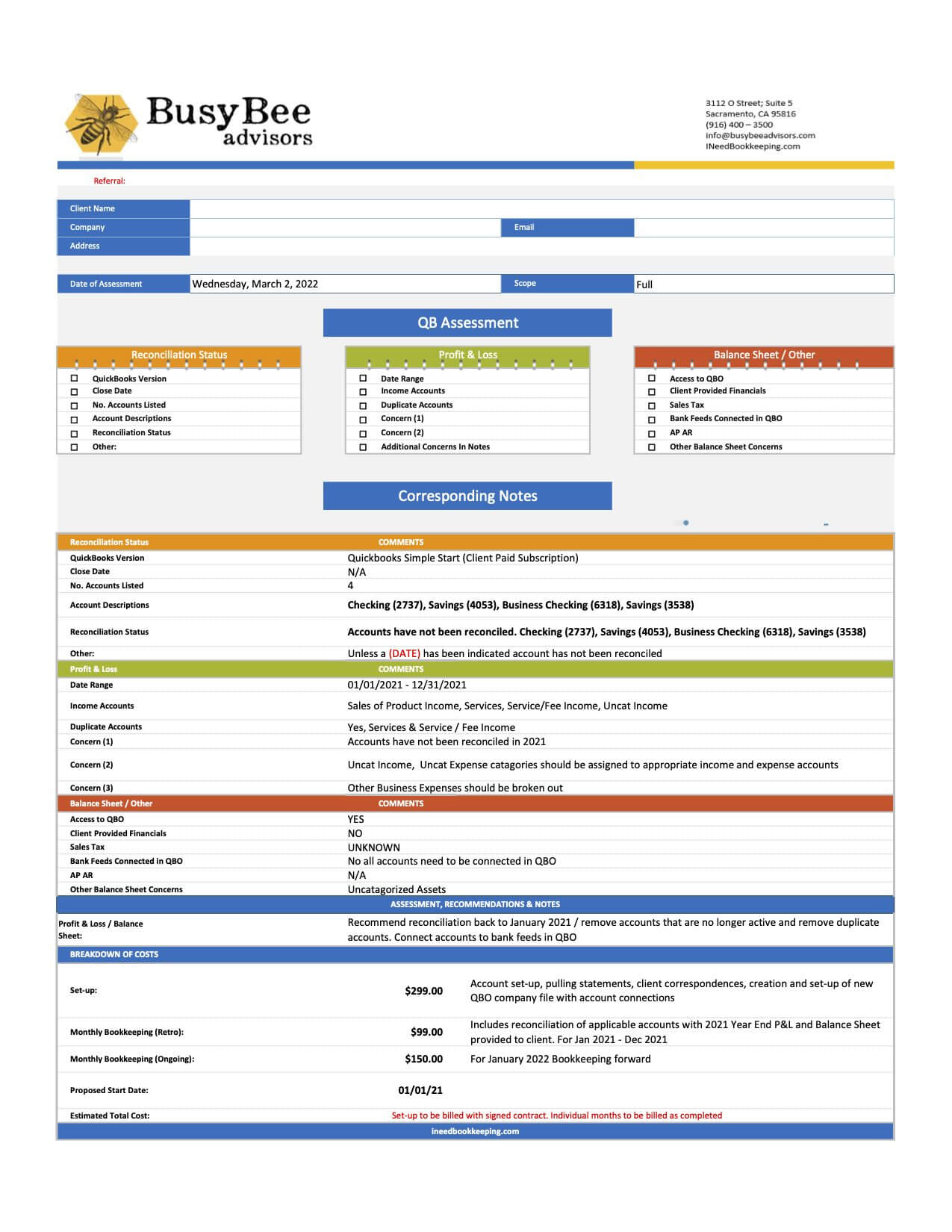
Quickbooks Online Assessment
Our team of Quickbooks experts will review your current Quickbooks Online setup to see where you could make improvements.
Take a look at the assessment to the right as an example of what we’ll dig into.
With just a few changes to your account and ongoing management, we’ll set you up to be more efficient.

Ongoing Support
Monthly Quickbooks Support
If you’re looking for ongoing support for Quickbooks, let’s talk about your monthly bookkeeping. We can offer you a plan to manage your books and keep your Quickbooks operating efficiently.
Additional Quickbooks Resources
FAQ
Common Quickbooks Questions
Q: Is Quickbooks the best software for accounting?
A: Quickbooks is a popular choice for many businesses, but there is no one-size-fits-all answer to this question. It’s important to consider the features and functions of your business before choosing to implement Quickbooks.
Q: What are the system requirements for QuickBooks?
A: QuickBooks requires a Windows operating system with at least 4 GB of RAM and 2.4 GHz processor or higher, and 10 GB free disk space. Additionally, a high-speed internet connection and a monitor with at least 1024 x 768 resolution are recommended.
Q: What are the pricing plans for QuickBooks?
A: QuickBooks offers a variety of pricing options. The best option depends on the needs of your business.
Q: What types of payments can I accept with QuickBooks?
A: You can accept payments through several payment options including credit and debit cards, ACH transfers, electronic invoices, and more. Different payment gateways are available depending on the country.
Q: Can I use QuickBooks on multiple devices?
A: Yes, QuickBooks is available for use on both mobile and desktop devices. You can access the platform through the mobile app or web browser. Furthermore, you can sync your data across all your devices, making it easier to manage finances from anywhere.
Q: Does QuickBooks offer customer support?
A: While Quickbooks offers extensive support, it’s best to work with a certified professional. You’ll spend less time on the phone and get answers to your questions right away.